
Connect Avenue to SimPro
Send the bookings Avenue captures into SimPro. Request API access from your SimPro dashboard, forward the key to the Avenue team and we connect the rest.
Connect Avenue to SimPro and the bookings Avenue captures flow into SimPro. The setup is one step on your side: request API access from your SimPro dashboard, forward the key SimPro sends you to the Avenue team, and we handle the rest.
What does the SimPro integration do?
Avenue sits in front of SimPro as your lead capture. Customers book through your Avenue booking form, whether they found it on your website, through the Book Online button on your Google Business Profile, or in a booking link the AI Call Agent texted them after a call you missed. With the integration connected, those bookings land in SimPro, and you keep running the job there the way you do now.
You don't change how you quote, schedule or invoice. SimPro stays your job management system; Avenue adds more ways for the booking to arrive.
Prerequisites
- Access to your SimPro dashboard
- Admin access to request API access
- An Avenue account
Requesting API Access
Step 1
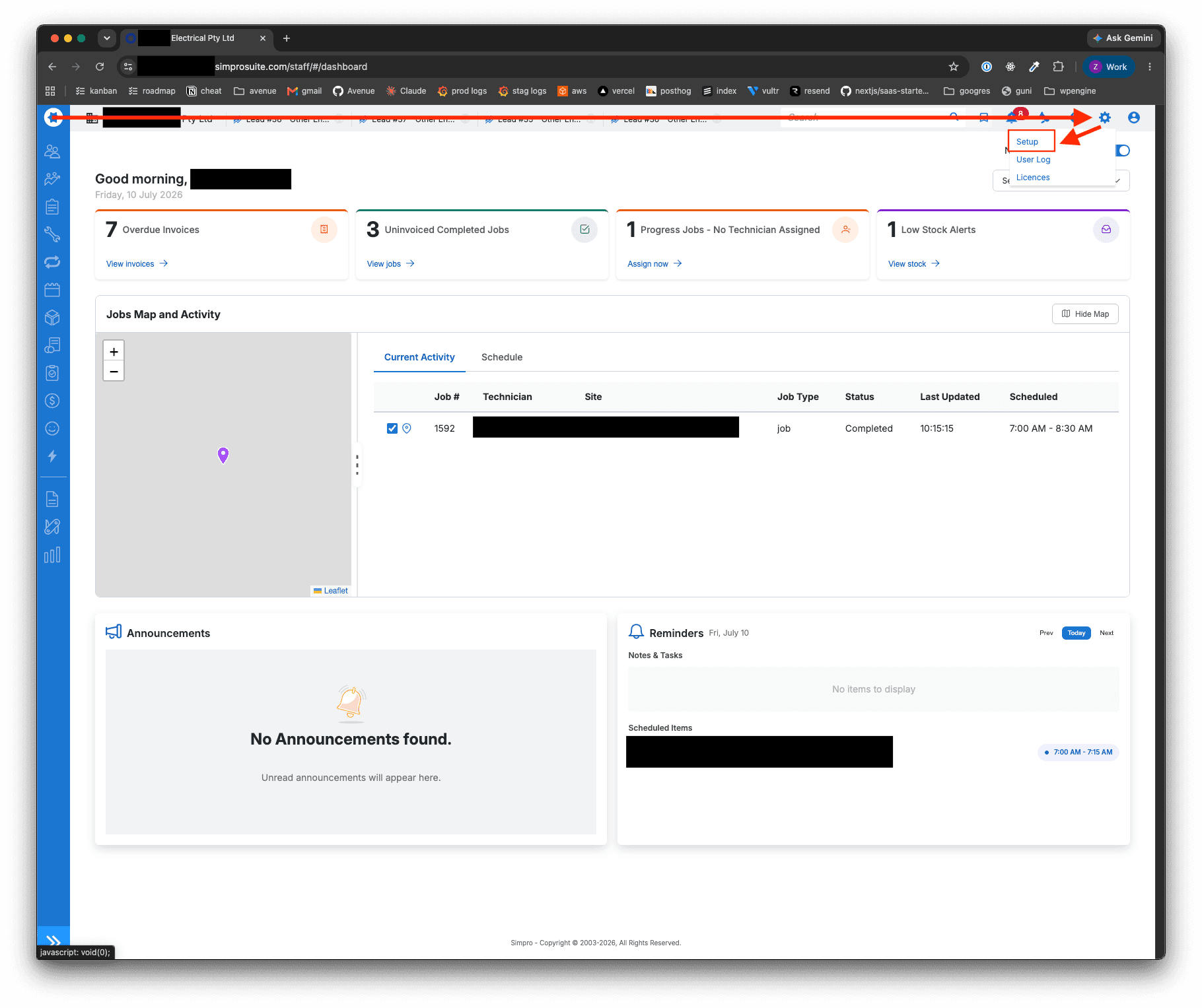
Starting from the homepage, click the cog in the top right, then Setup.
Step 2
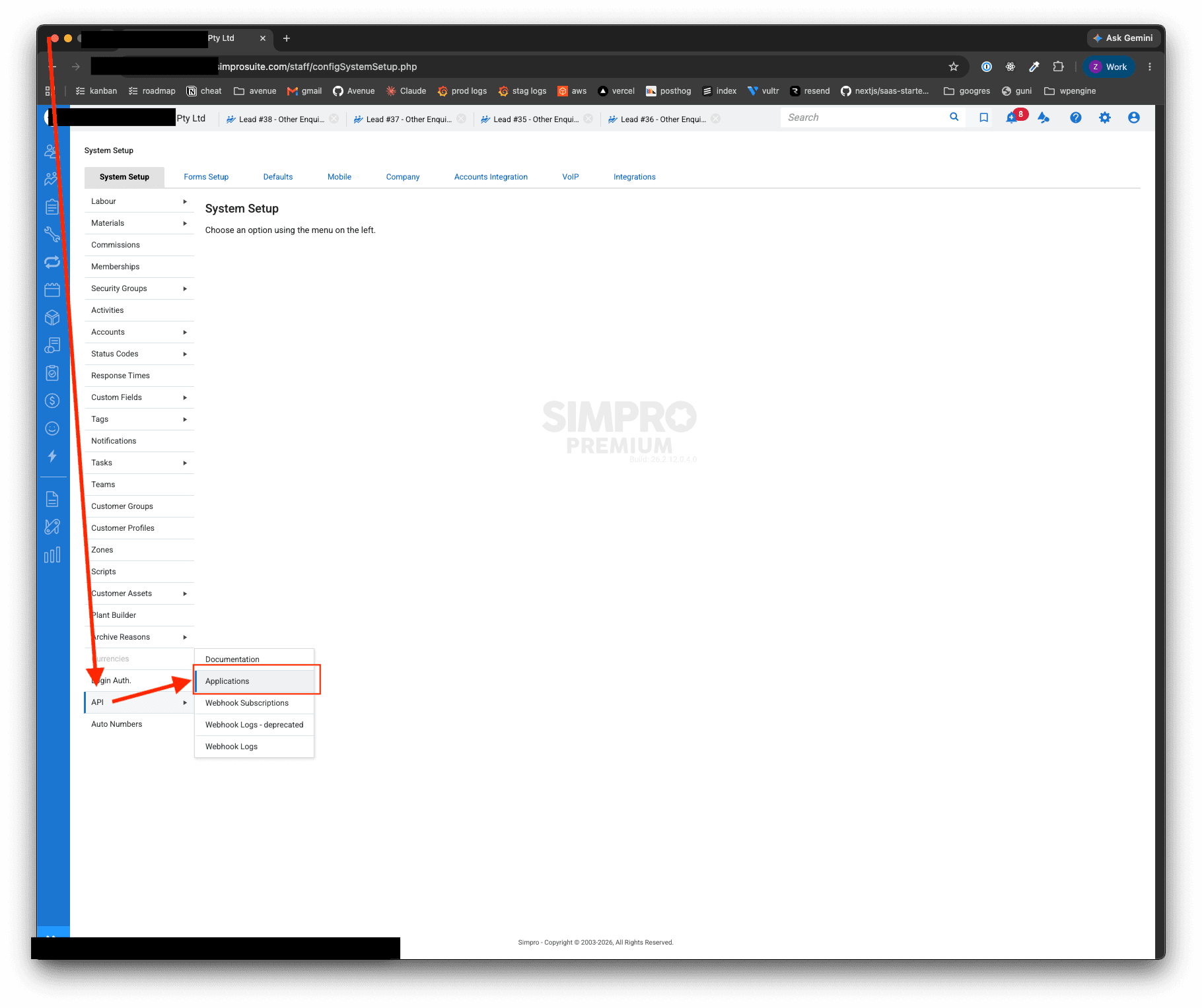
In the sidebar, click API, then Applications.
Step 3
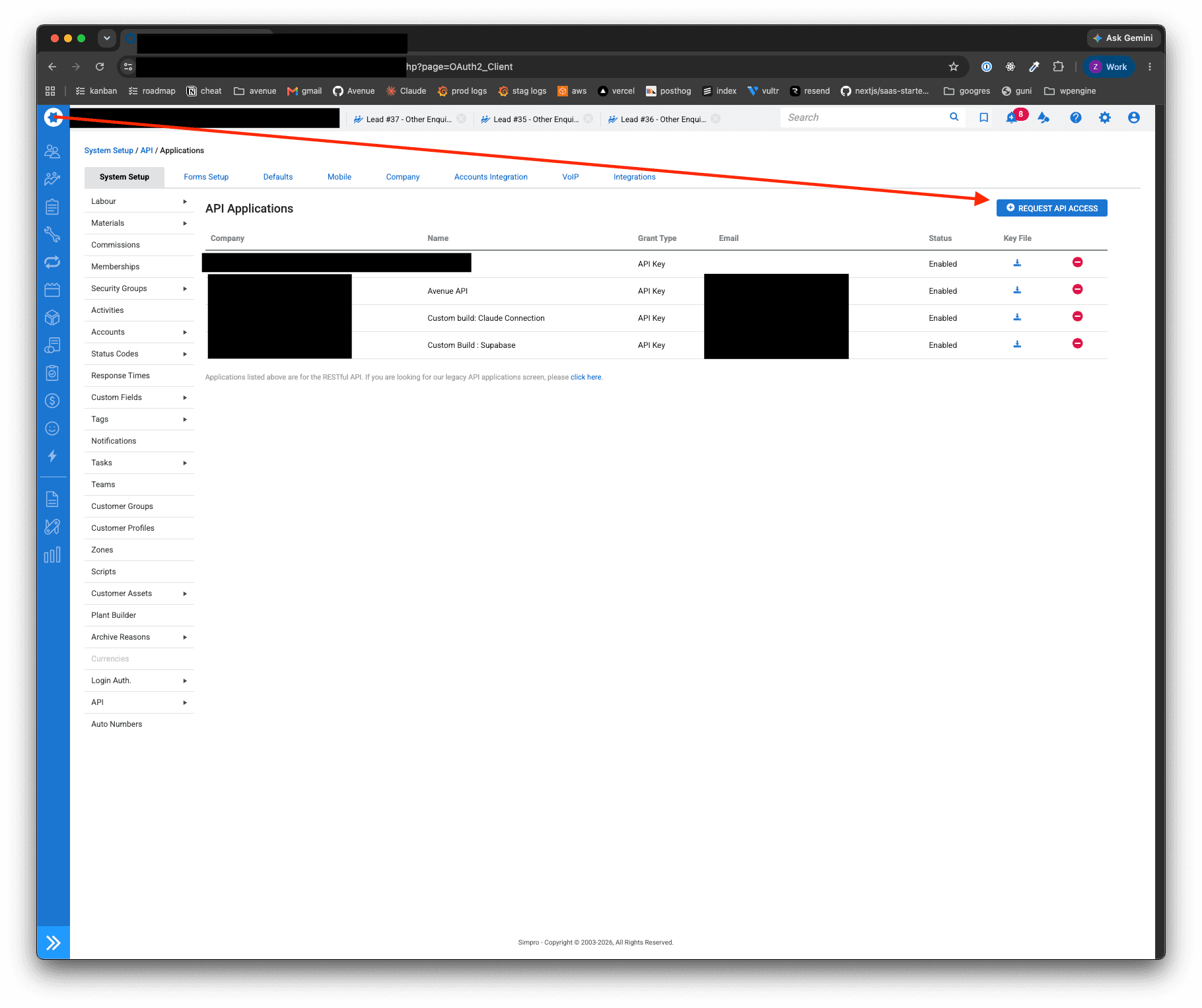
Click Request API Access.
Step 4
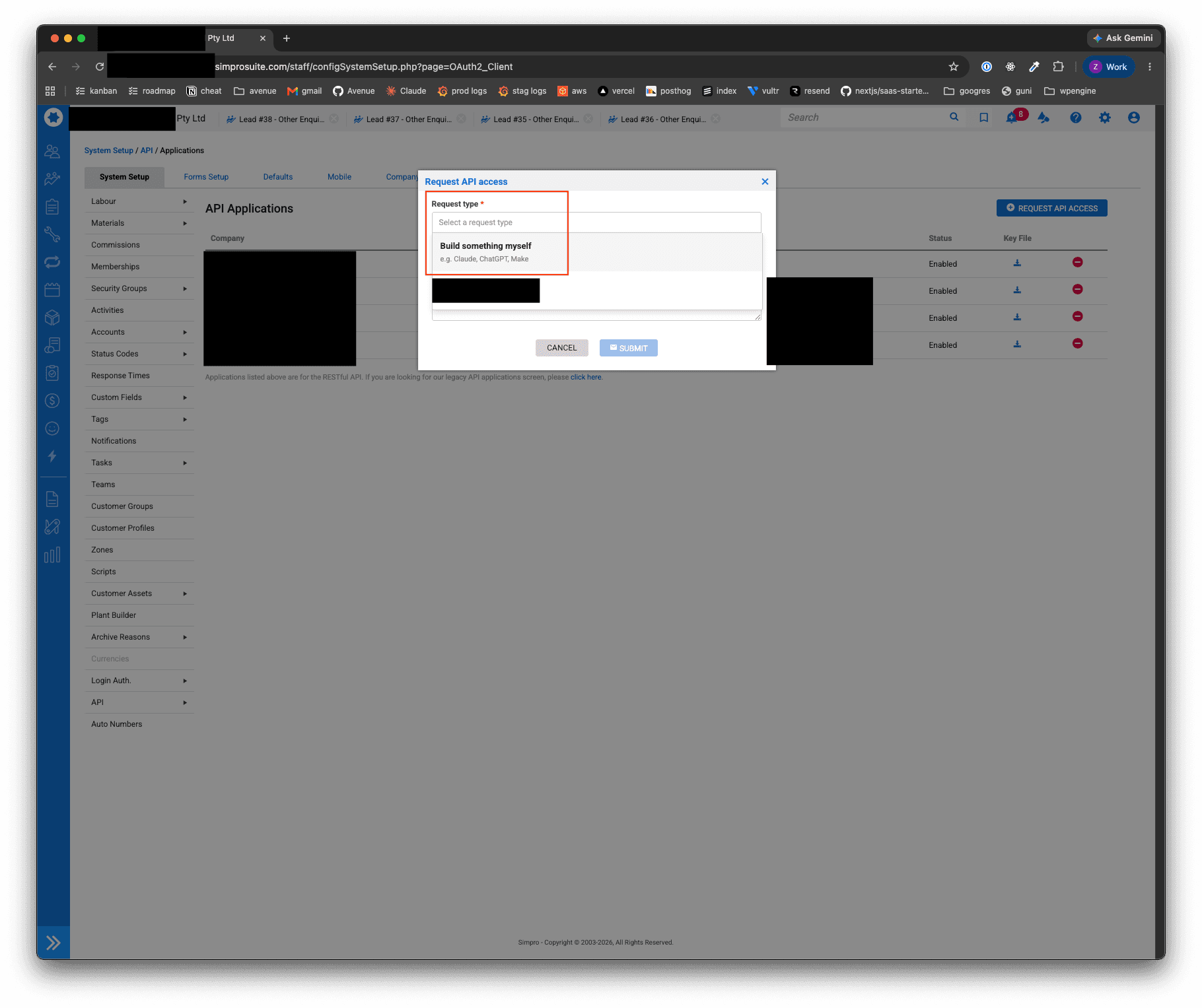
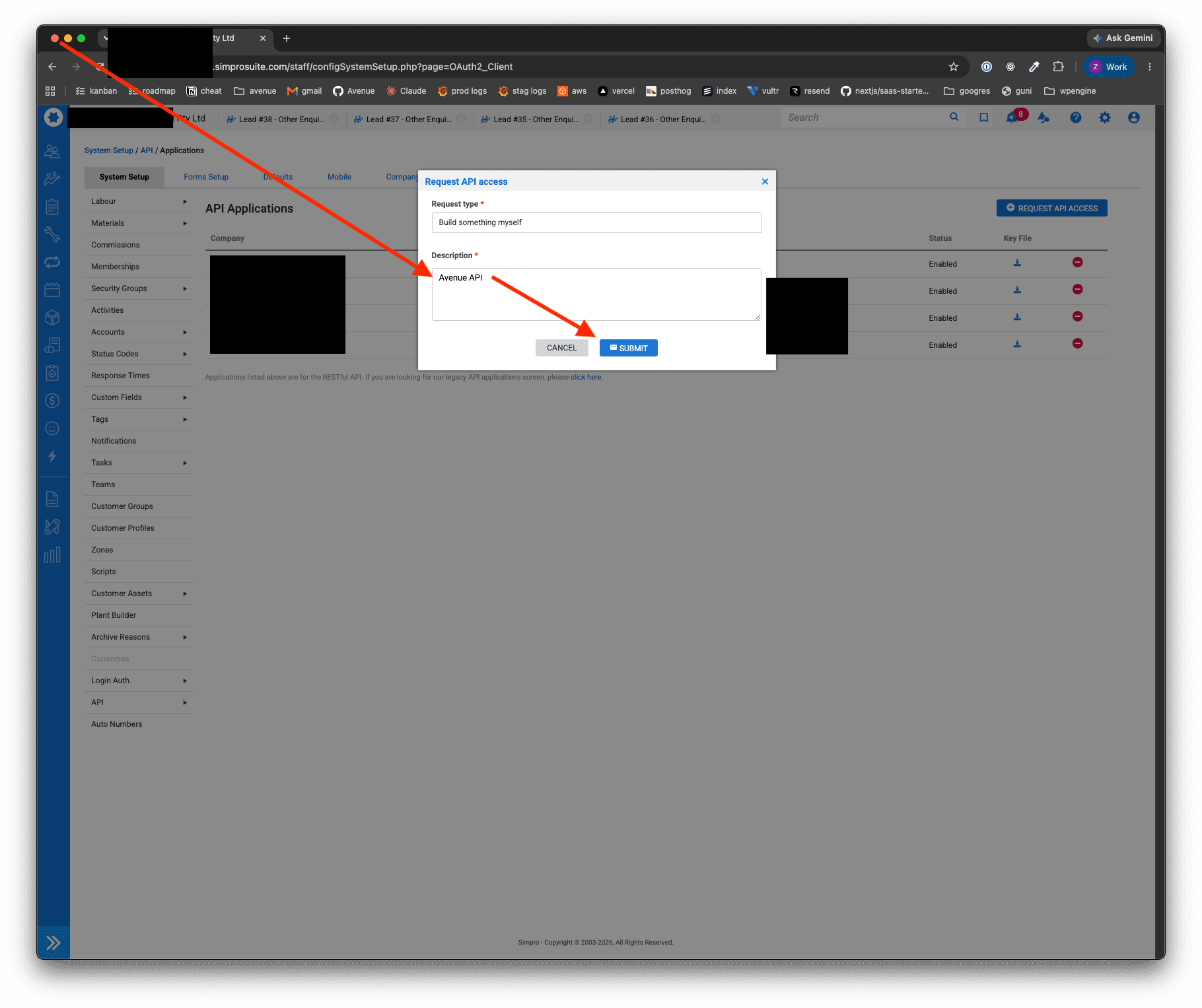
Select Build something myself from the dropdown for Request type.
Step 5
Set the Description as Avenue API and hit Submit.
What happens next
SimPro will reach out to you when the API key is created. Forward this to us and we will handle the rest.
What happens after you forward the key?
The Avenue team connects your account. There is nothing to install and nothing else to configure on your side. Once the connection is live, bookings that come through Avenue flow into SimPro.
If a booking doesn't appear where you expect it, reply to the same thread you forwarded the key in, or contact support below.
Do bookings from the AI Call Agent come through too?
Yes. When the AI Call Agent answers a call you miss, it texts the caller a link to your booking form. A booking made through that link is handled like any other Avenue booking, so it flows into SimPro the same way.
What if you use a different system?
Avenue also connects to ServiceM8, and to workshop systems like MechanicDesk and Workshop Software. Beyond those, Avenue integrates with 100+ platforms through Zapier. Contact support to ask about yours.
Support
Contact Avenue support at info@avenue2.au if you need help connecting SimPro.