
Auxo
Connect Avenue to your Auxo Workshop account
Auxo Integration
Avenue can send the bookings from your Avenue forms straight into Auxo Workshop. To set this up, we just need your Auxo online booking link.
Once it's connected:
- Bookings from your Avenue form arrive in Auxo as online booking requests
- Your Avenue booking calendar greys out the days Auxo shows as full, so customers can't pick them
Prerequisites
- Access to your Auxo Workshop dashboard
- Online booking turned on in Auxo
Finding Your Booking Link
Step 1
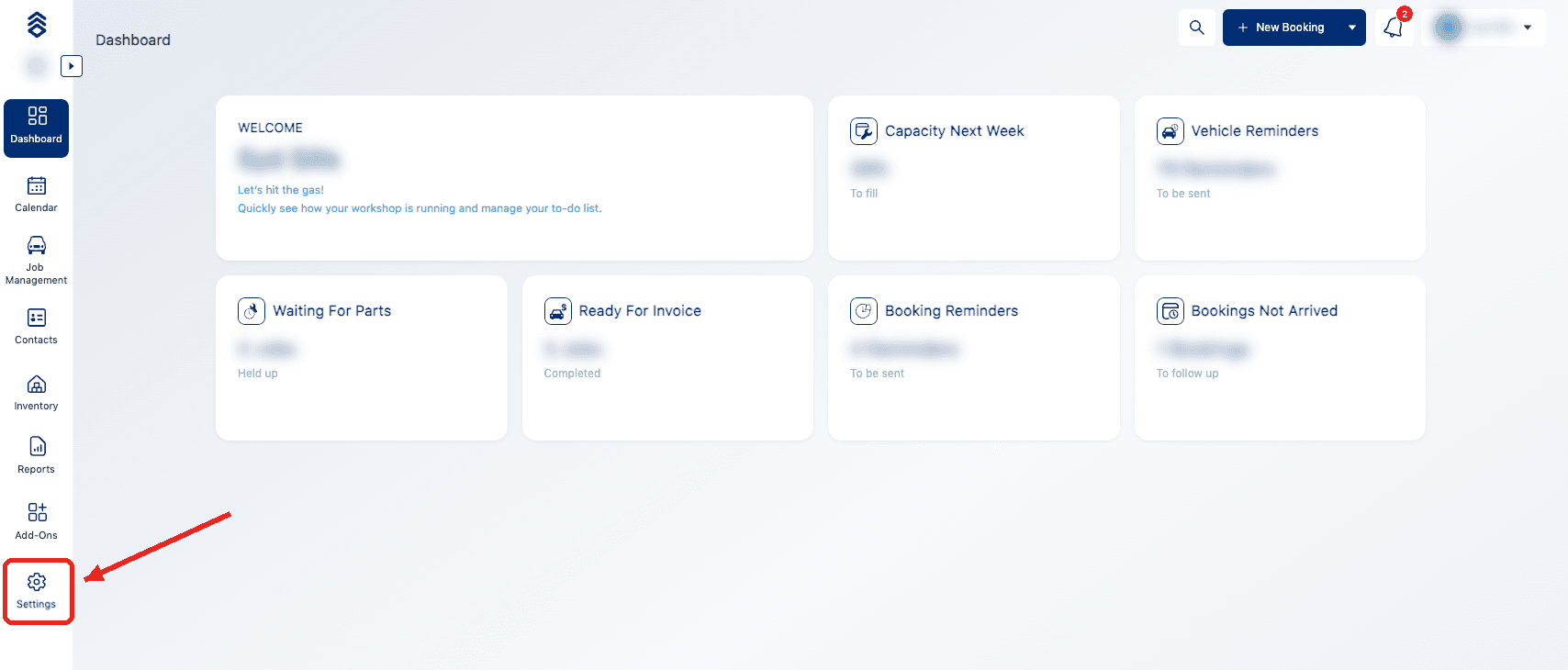
Log into your Auxo dashboard and click Settings at the bottom of the sidebar.
Step 2
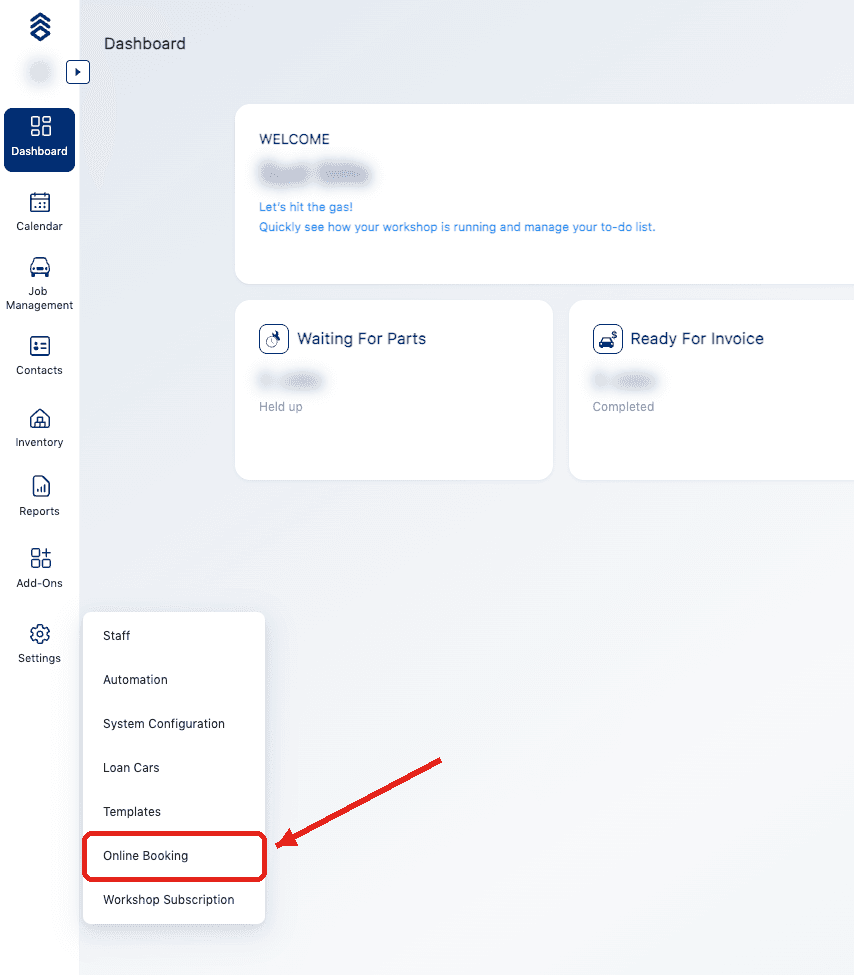
Click Online Booking.
Step 3
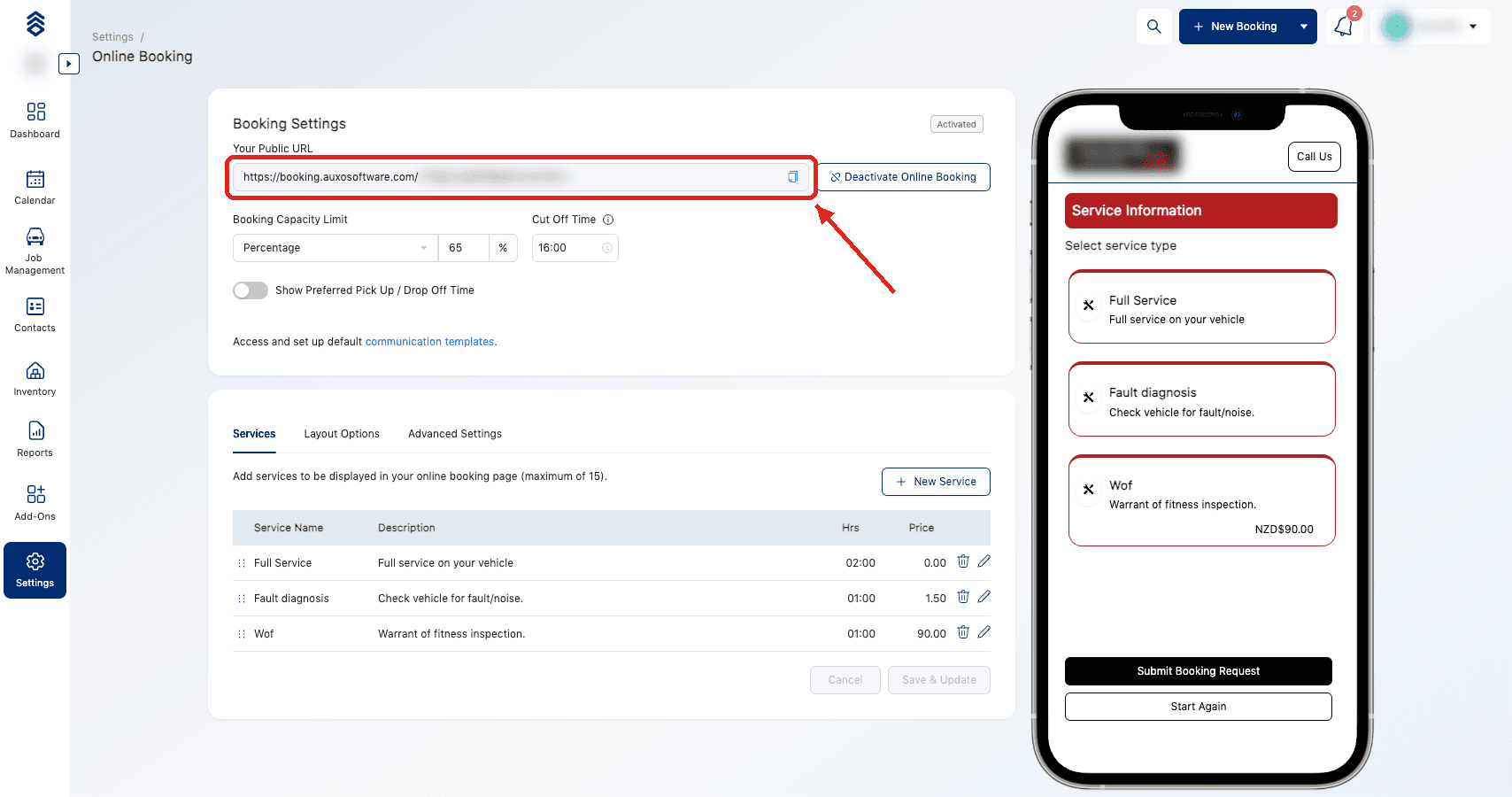
Under Your Public URL, click the copy button on the right of the link. Send this link to us and we will handle the rest.
Keep online booking turned on
Avenue uses your online booking link to send bookings to Auxo. If you deactivate online booking, or the link changes, let us know so your bookings keep coming through.
Support
Contact Avenue support at info@avenue2.au if you need help connecting Auxo.
Set Booking Limits Per Day
Cap how many bookings you take each day and how far ahead customers must book, with Max Bookings Per Day and Booking Notice.
Connect Avenue to ServiceM8
Send the bookings Avenue captures into ServiceM8. Generate an API key in your ServiceM8 dashboard, send it to the Avenue team and we connect the rest.